With the Staging Addon, you will now be able to create an exact replica of your production site and test updates before applying them to your live site.
No more broken websites, no more worrisome restores, no more hassles of getting in touch with your host.
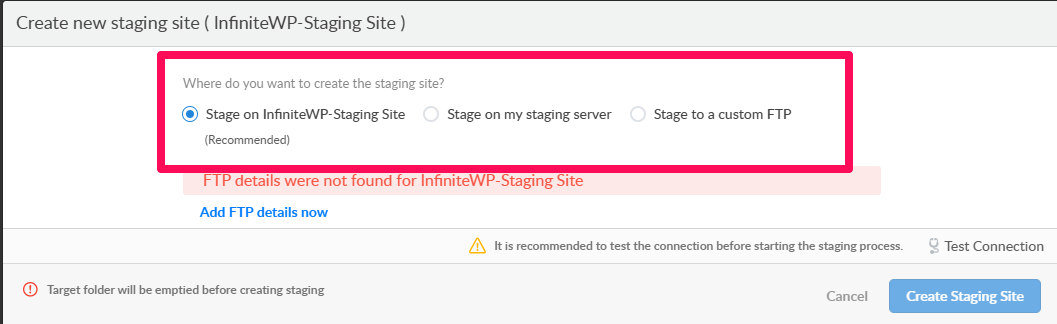
Creating a Staging site is similar to cloning your site. You can create a staging site in three different locations.
Create staging site on the same server where your live site is hosted.
Create staging site on your staging server
- Create staging site on a different FTP server
1. To create a staging site on the same server
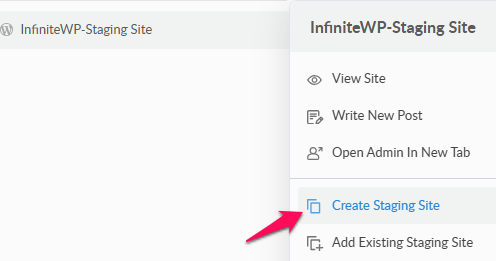
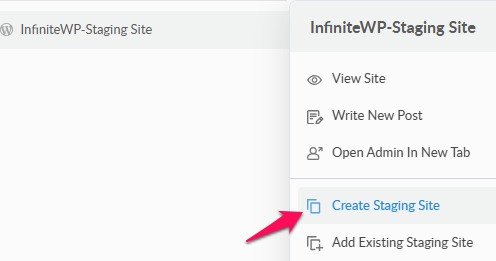
Hover the site which you want to create a staging site for and click Create Staging Site
Please select Staging on to your same server and click Add FTP Details now.
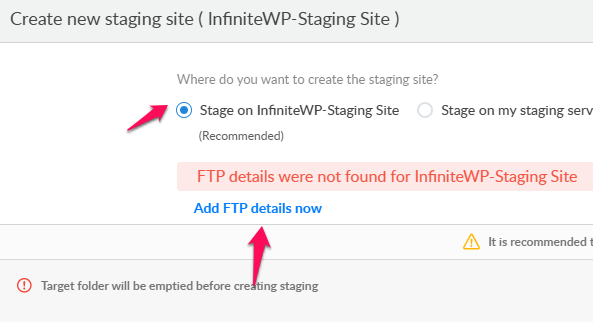
Enter your Live Site FTP details as shown in the screen below screen
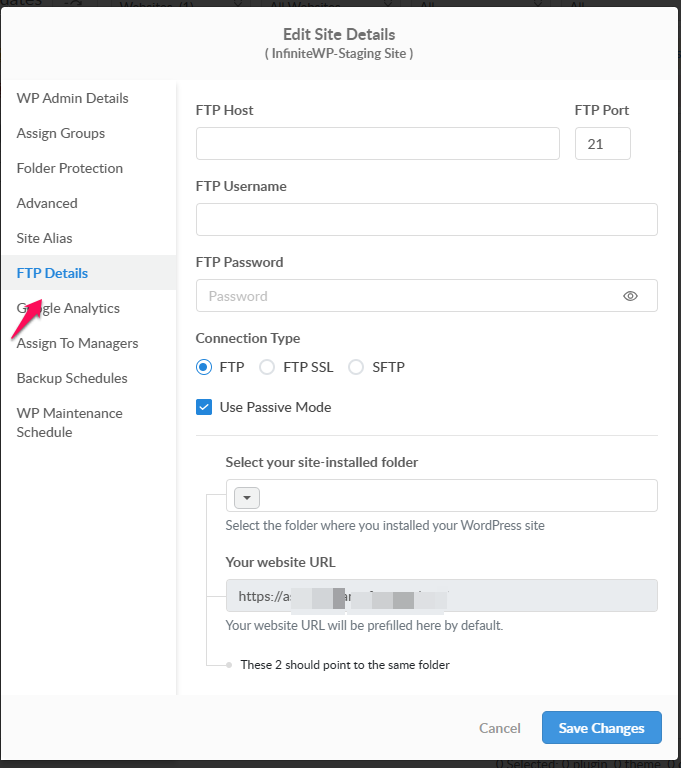
Upon saving changes Click Create staging site
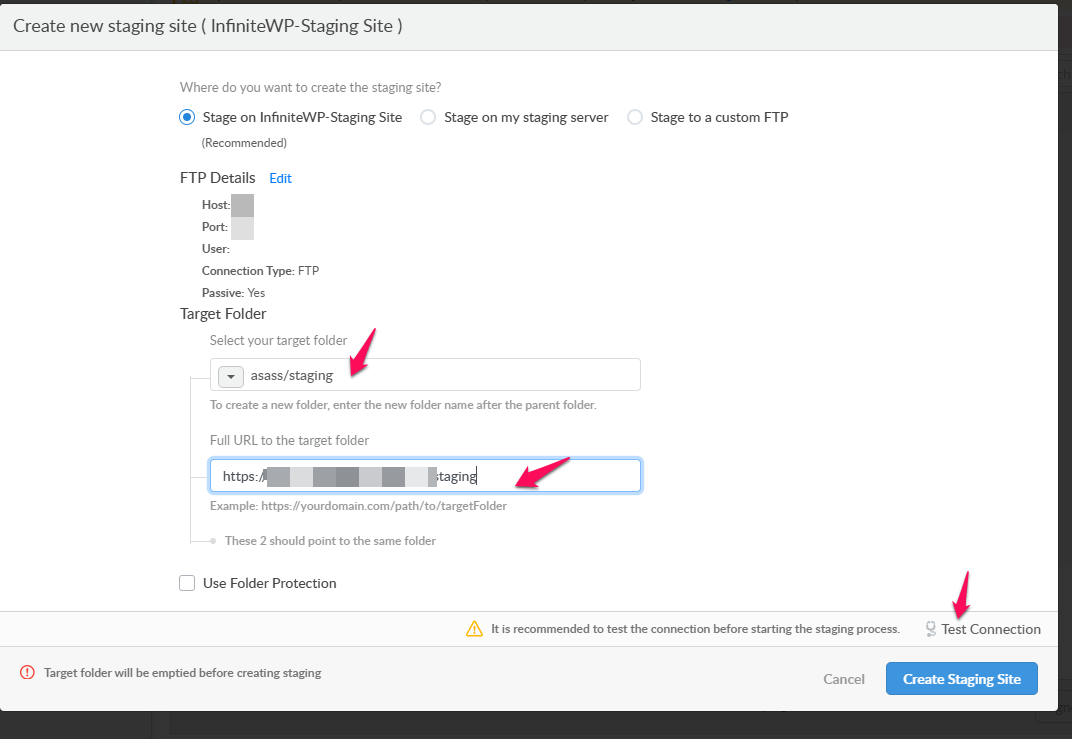
2. To create a staging site on your staging server
First, you need to enter the FTP and DB details of your Staging server under the Settings page --> Staging.
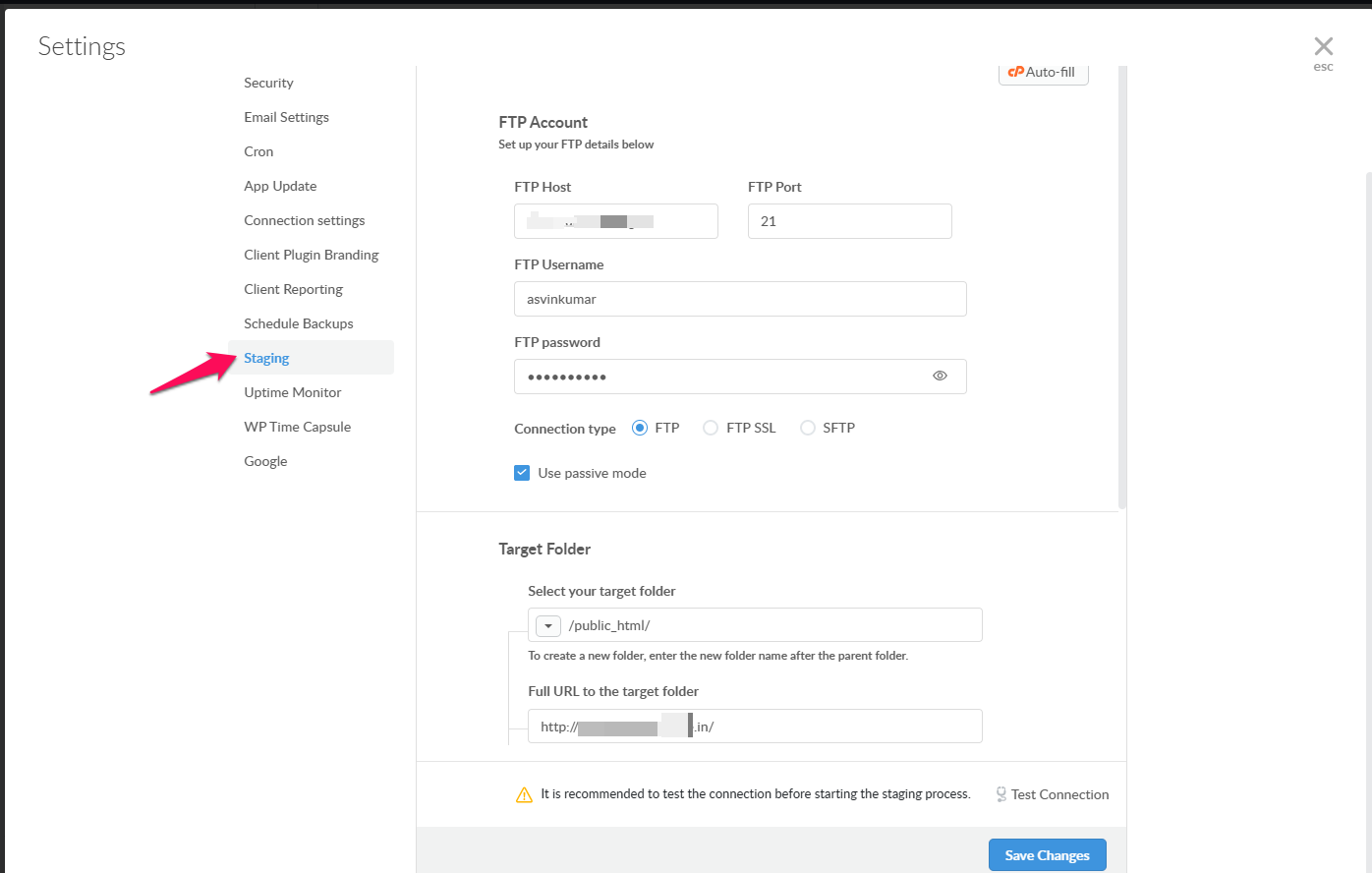
Note: We will be using the same DB here. DB Prefix will only be changed automatically.
Now Hover the site which you want to create staging site and Click Create Staging site
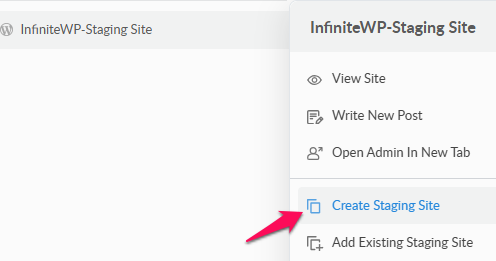
Choose Stage on my staging server and click Create Staging site.
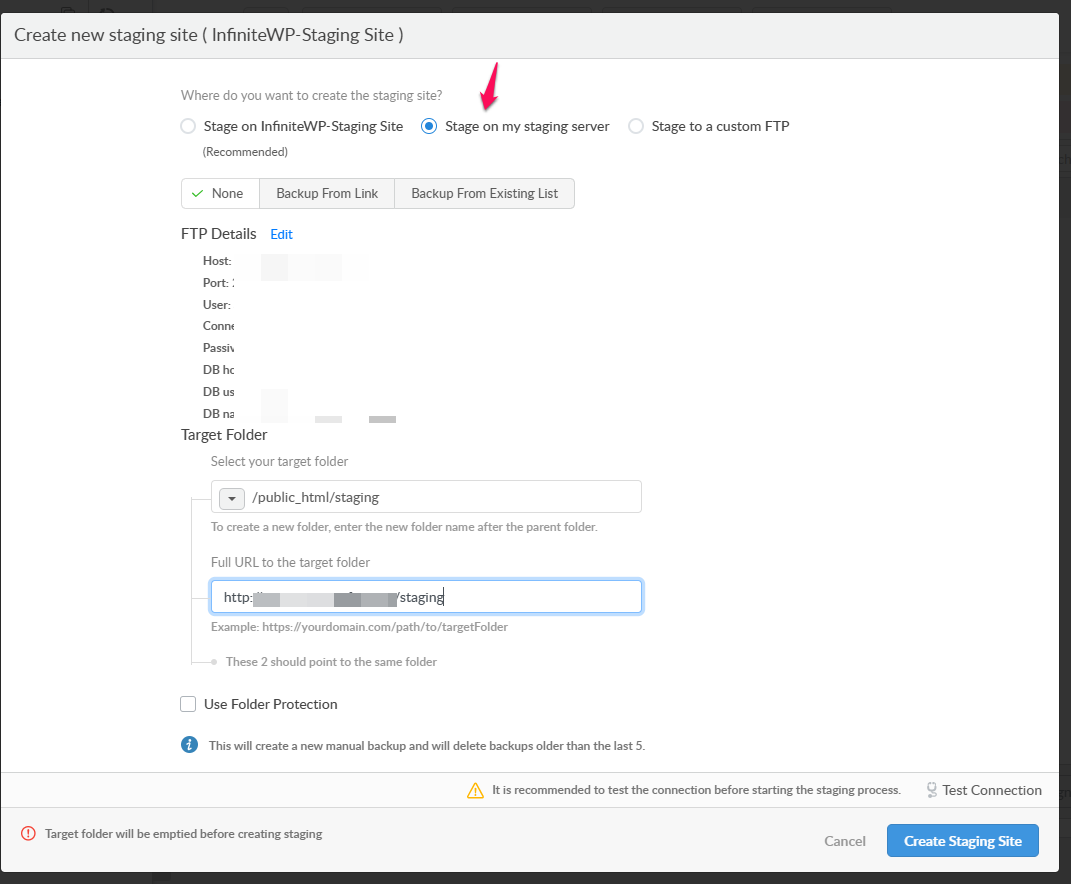
3. To create Staging site on separate FTP server
Hover over the site which you want to create staging site and click Create Staging site.
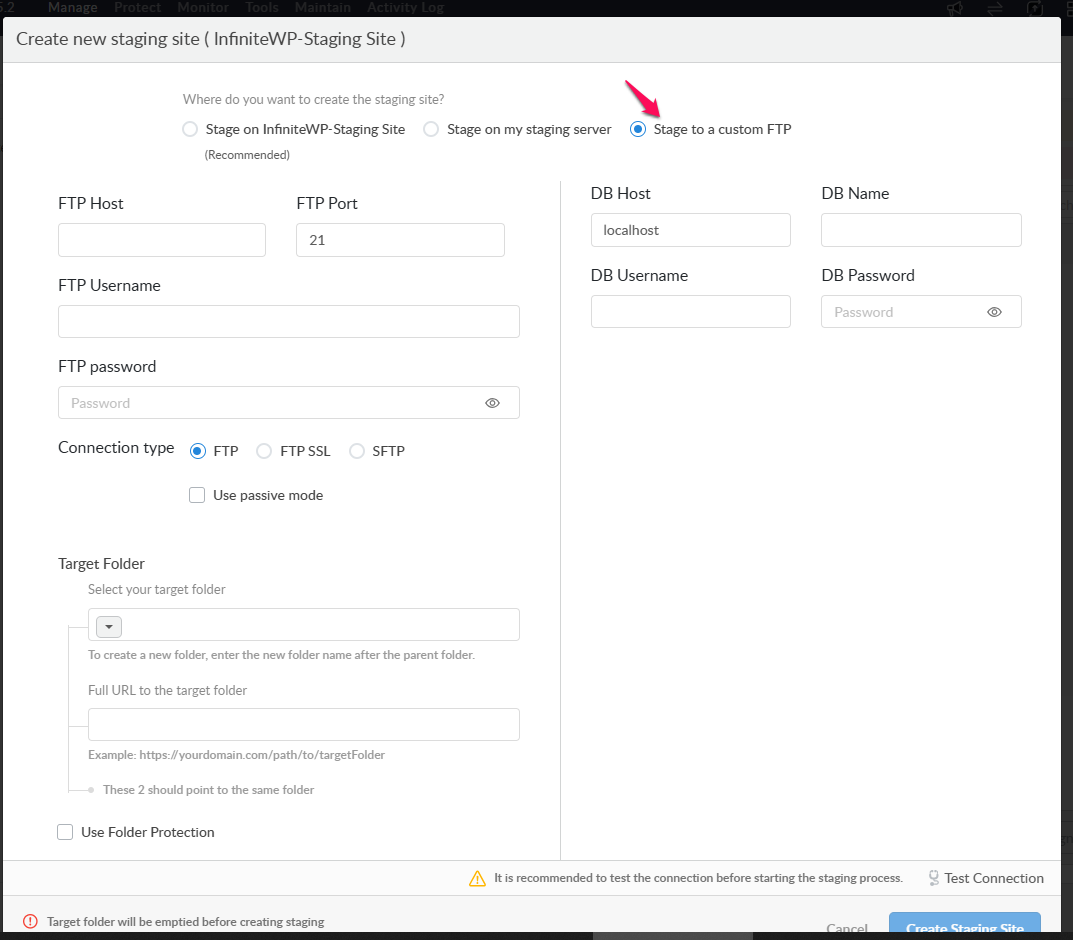
Choose Stage to a custom FTP and fill in the FTP server and Database details here. Finally, click Create Staging site.